Connect Kismet to your AI in about a minute. The plugin bundles the Kismet connection with ready-to-run skills.
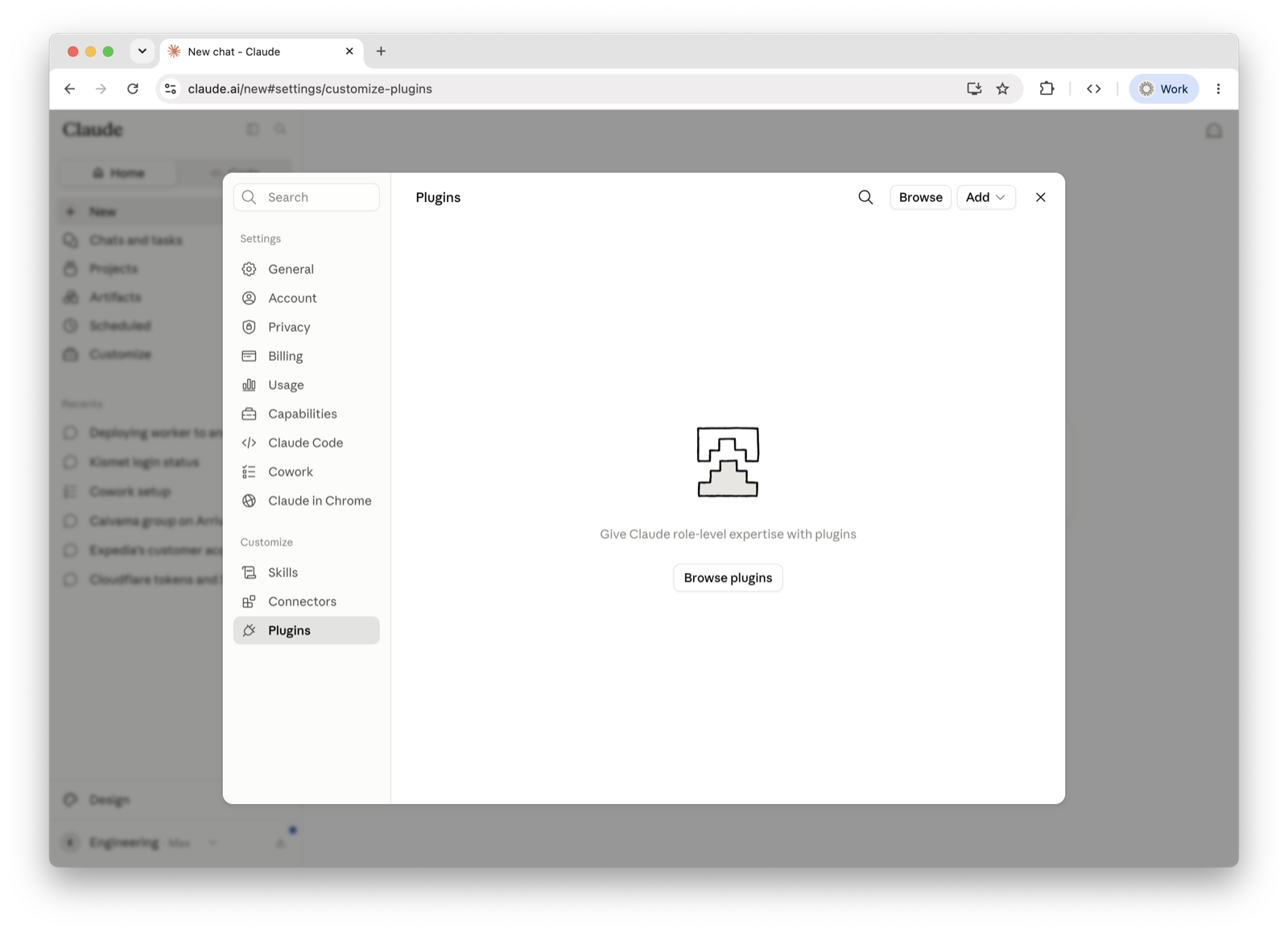
https://github.com/kismet-tech/kismet-platform-pluginClick the button above (or in Claude, go to Settings → Plugins). Then open Browse plugins.
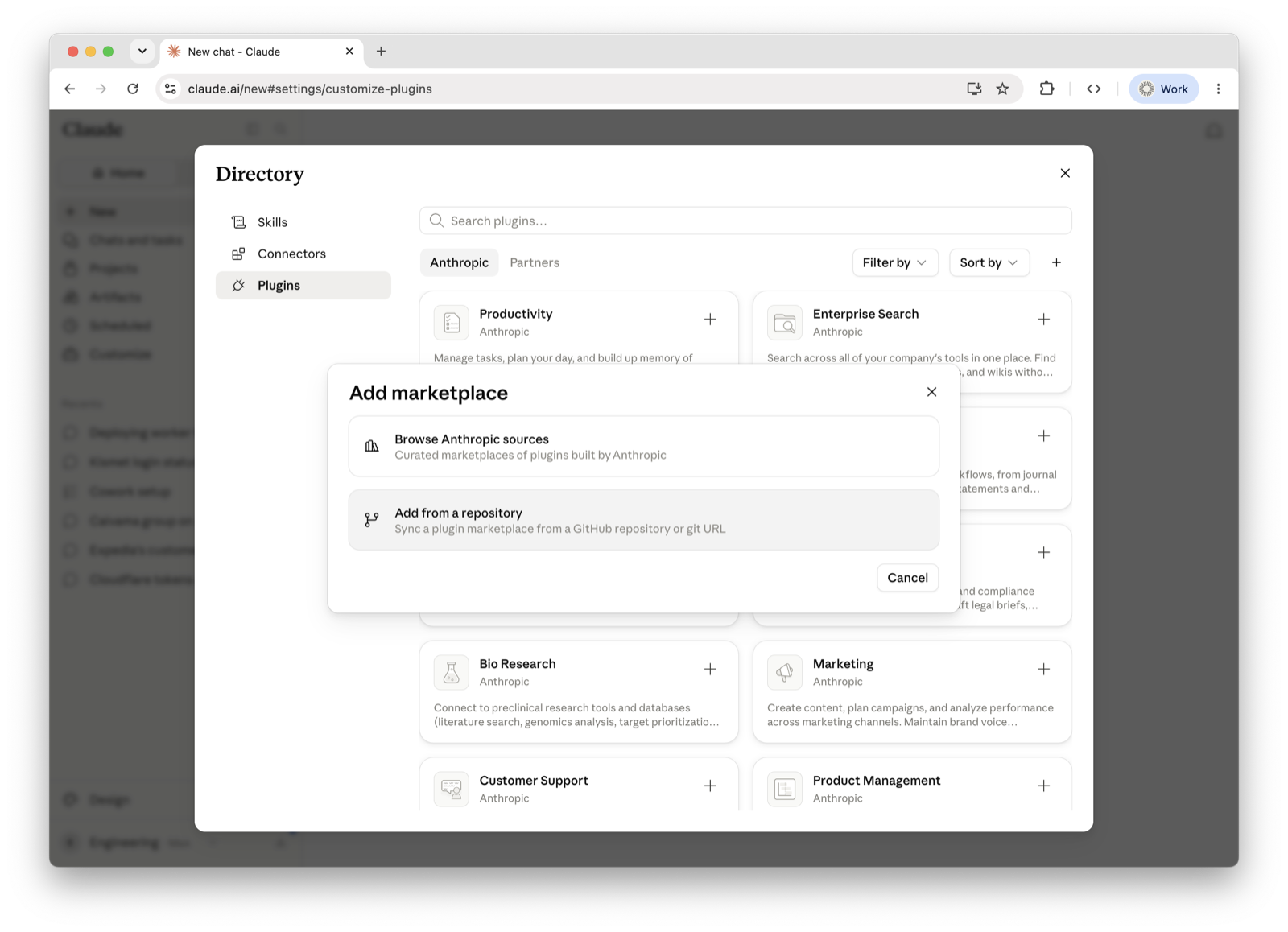
In the plugin directory, press the + (Add marketplace), then choose Add from a repository.
Paste the repository URL below into the URL field, then press Sync.
https://github.com/kismet-tech/kismet-platform-plugin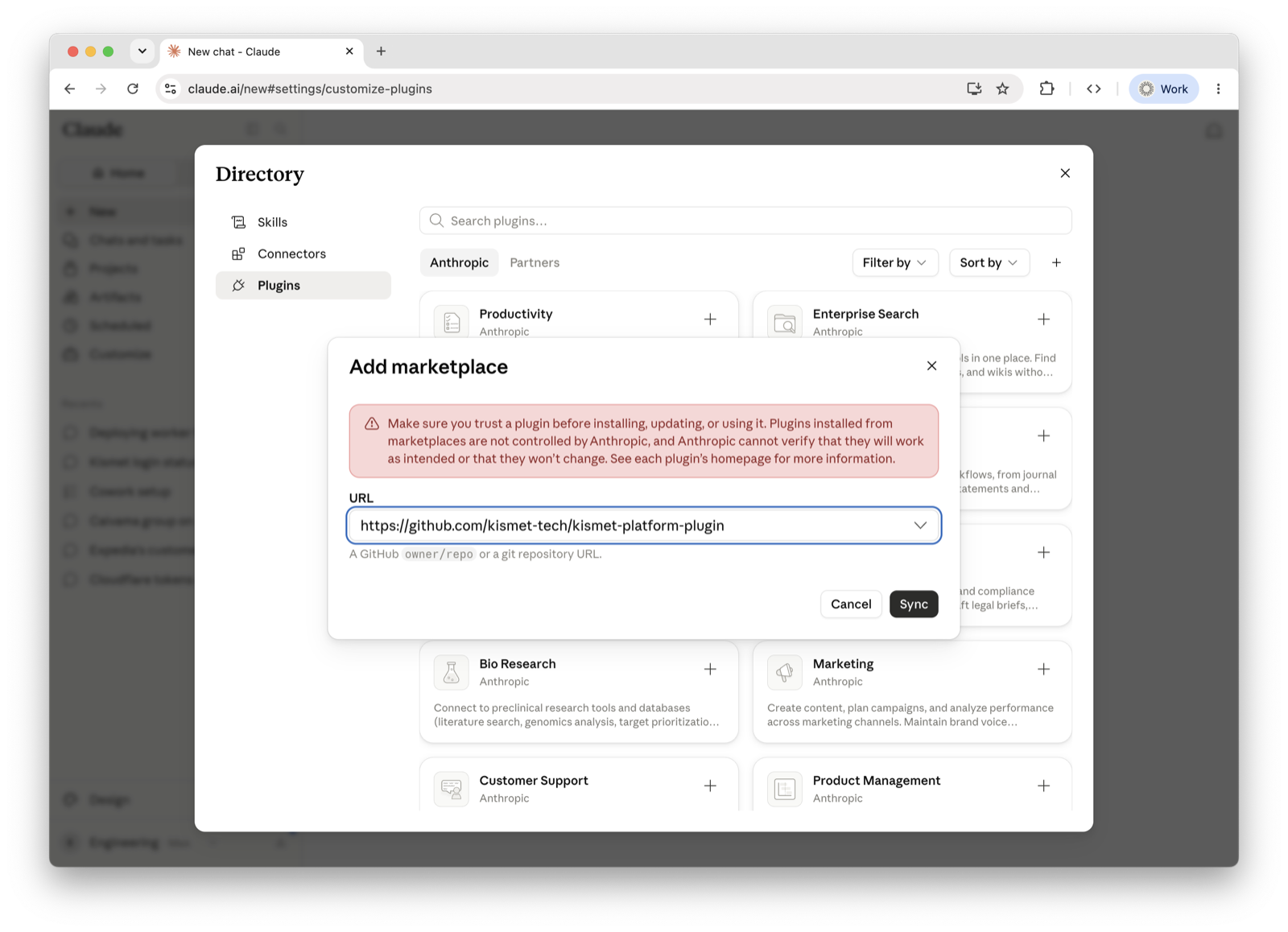
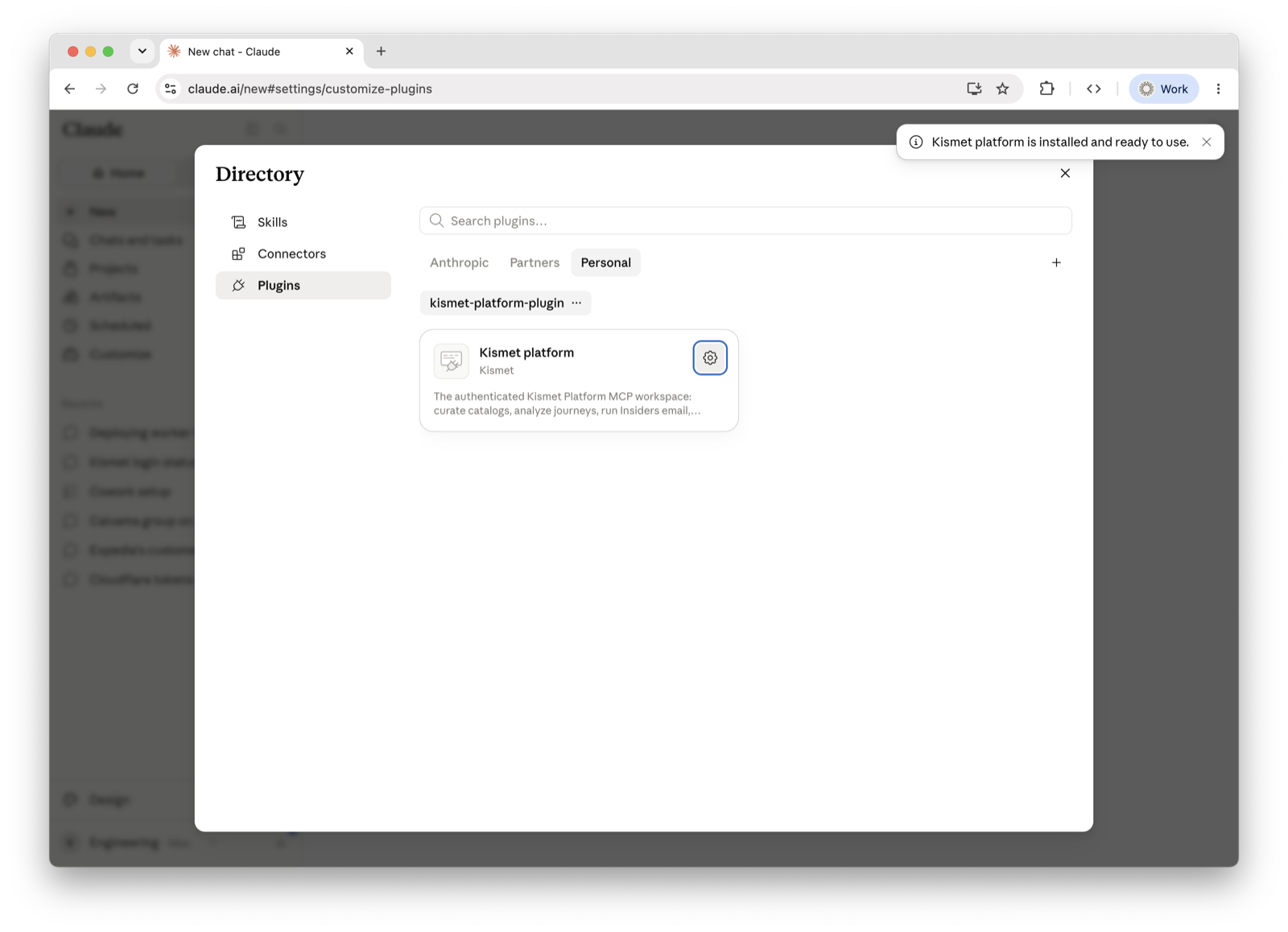
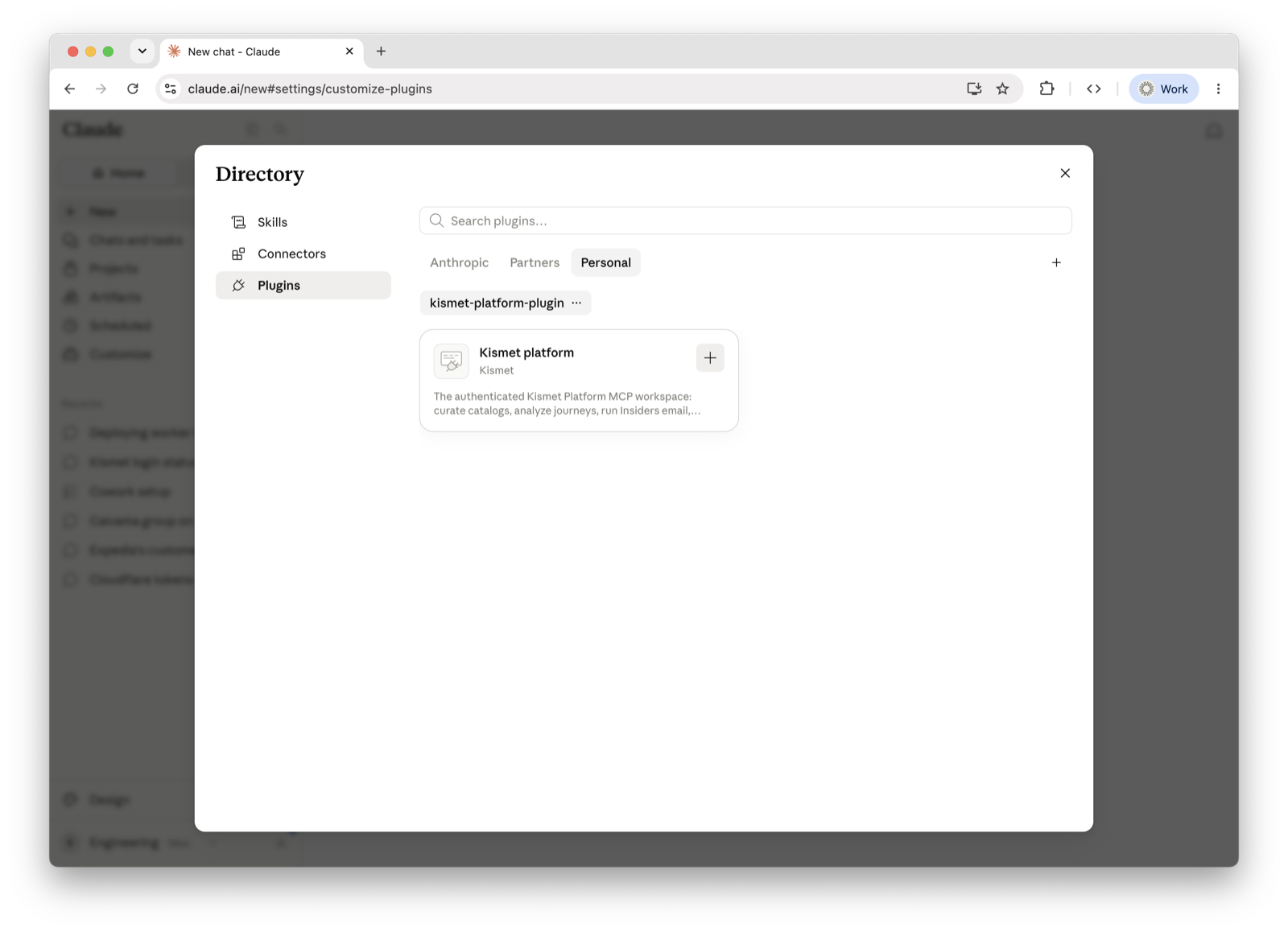
The Kismet platform card appears under Personal. Press the + on the card to install it. You should see “Kismet platform is installed and ready to use.”
The plugin is on and its skills are available — type / in a chat to see them (booking-performance-report, analyze journeys, generate demand, and more). You'll sign in with your Kismet account the first time a skill needs your data.